
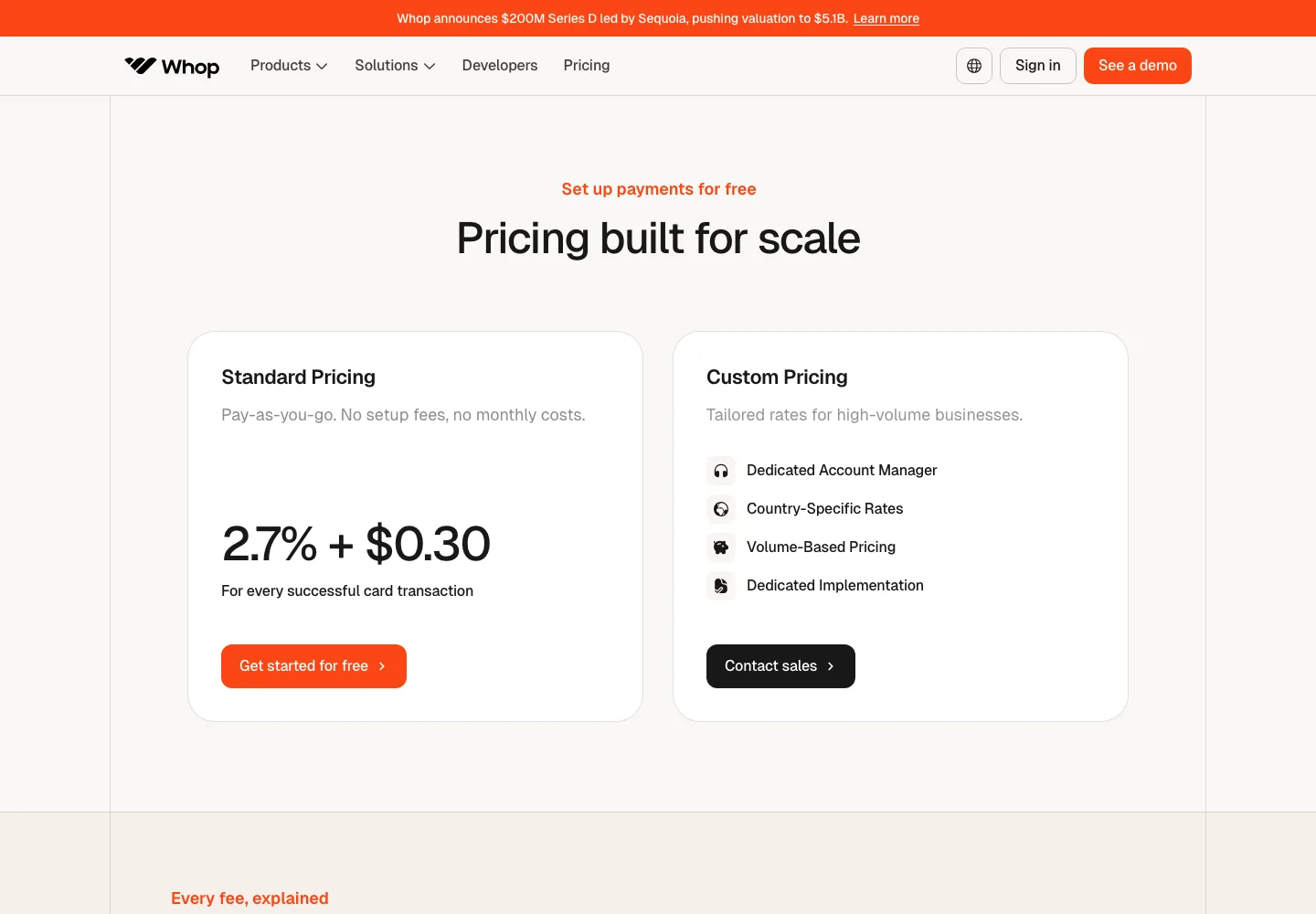
Add-ons and extras can push the per-sale cost higher. The tables cover the main rates Whop publishes, including the local payment methods it surfaces at checkout based on customer location1, but card rates in Latin America sit on a separate regional fees page3.
Custom pricing exists for high-volume sellers, though the rates aren't published and you have to contact sales1.
What Whop costs in 2026
On top of the base card rate, international cards add 1.5% and currency conversion adds 1%1, and rates differ in Latin America3. If you sell there, check the regional fees page before pricing anything.
The listed pricing covers merchants who join now3, and older accounts may differ.
Whop's main fees in one table
Add-on fees stack on top of the base processing fee, so every one you switch on raises the cost of each sale3. Each is optional. Turn them on only when they earn their keep, because each percentage is added to the base rate and the total grows with every sale you make.
| Fee | Amount | When it applies |
|---|---|---|
| Domestic card | 2.7% + $0.301 | Every successful transaction on a domestic card |
| International card | +1.5%1 | Transactions on international cards |
| Currency conversion | +1%3 | Buyer pays in a different currency |
| EU bank transfer | 1%, capped at €51 | Buyers paying by EU bank transfer |
| Crypto payment | 1.5%1 | Buyers paying in crypto |
| iDEAL | 1.5% + €0.801 | Buyers paying with iDEAL |
| SEPA Debit | 1% + €0.301 | Buyers paying by SEPA Debit |
| Cash App, Bancontact, Vipps, MobilePay, Swish | Card percentage plus a fixed fee1 | Local methods shown by customer location |
| ACH direct debit | 1.5%, max $531 | US buyers paying from a bank account |
| Financing (Klarna, Afterpay, partners) | 15% per transaction; 20% for ClarityPay No Interest31 | Buyer pays in installments |
| 3D Secure | $0.03 per transaction31 | Card authentication |
| Radar fraud detection | $0.07 per transaction31 | ML fraud screening |
| Dispute (chargeback) | $15.00314 | Per dispute |
| Early dispute alert (RDR) | $29.0031 | Per proactive alert |
| Orchestration | 0.8%3 | When enabled |
| Billing | 0.5%31 | When enabled |
| Tax and remittance | 2%34 | When enabled and tax is collected |
| Everything enabled, tax collected | 6% + $0.3031 | All add-ons on, domestic card |
| Next-day ACH payout | $2.5031 | Per payout to a US bank |
| Instant bank (RTP) payout | 4% + $2.5031 | Per payout, where supported |
| Crypto payout | 5% + $1.0031 | Per payout |
| Venmo payout | 5% + $2.5031 | US recipients only |
| Bank wire payout | $23.0031 | Per payout, typically 1 to 2 business days in the US3 |
| International local bank payout | Varies by country3 | Per payout |
What you keep from a $49 sale
On a plain domestic card sale of $49, Whop takes $1.62 and you keep $47.38, and everything else depends on your settings.
| Setup on a $49 sale | Fee | You keep |
|---|---|---|
| Base domestic card (2.7% + $0.30) | $1.62 | $47.38 |
| International card + conversion (5.2% + $0.30) | $2.85 | $46.15 |
| All add-ons + tax (6% + $0.30) | $3.24 | $45.76 |
| Financing (15%) | $7.35 | $41.65 |
| Affiliate sale (30% commission + processing) | $16.32 | $32.68 |
3D Secure and Radar are not switches you flip. Whop lists them as flat per-transaction fees with no "when enabled" label3, so on a $49 sale the fixed part rises to $0.40, for a fee of $1.72 and $47.28 kept. Small per-transaction fees like these add up fast.
Affiliate sales cost the most. Any affiliate in Whop's network can promote a listed product for a default 30% commission, adjustable per product5.
Selling through the iOS app changes the math again. Apple processes all one-time purchases under $700 made in the app through its own in-app purchase system, and Whop marks those prices up 42.86% to cover Apple's mandatory 30% cut, so your $49 product shows as $70.006.
Apple collects that fee, not Whop, and it can hold the money for up to 75 days after the transaction, during which it shows as pending6.
Subscriptions and one-time purchases at $700 and up are handled by web checkout, which carries no App Store fee. In-app refunds go through Apple6.
Payout fees, minimums and reserves
Next-day ACH only goes to US bank accounts. Other routes exist: international local bank payouts carry a fee that varies by country3, and payouts can also go straight to PayPal or Coinbase Commerce7. On a $500 withdrawal, the method you pick changes what lands.
Next-day ACH costs the least and Venmo costs the most. Fees are worked out from the rates Whop lists in its documentation. Source: 3.
| Payout method | Fee on $500 | You receive |
|---|---|---|
| Next-day ACH | $2.50 | $497.50 |
| Instant bank (RTP) | $22.50 | $477.50 |
| Bank wire | $23.00 | $477.00 |
| Crypto | $26.00 | $474.00 |
| Venmo | $27.50 | $472.50 |
On large withdrawals, the flat $23 wire beats the percentage-based methods, since the instant, crypto and Venmo fees grow with the amount while the wire stays flat31. Whop pays out to more than 200 countries7.
Before you can withdraw at all, finish KYC: enter your details, connect your bank and upload ID. The minimum withdrawal is $10 where the threshold applies. After a customer pays, the money can need a couple of days to reach your account before any payout method even matters7.
A reserve is held money, never a fee, and it releases back to your available balance automatically. One trigger is a new account or little sales history. Another is delivering long after payment, like pre-orders, bookings or multi-month services8.
Whop's example is a 10% reserve with a 90-day hold: sell $1,000 on March 1 and $100 stays locked until May 30. Financing providers run their own reserves, with Splitit keeping 15% of each financed sale for 180 days and SeQura holding 12% for roughly 12 months8. Under the Seller Terms, reserves can reach up to 100% of funds. You must also keep your dispute rate below 1% on a rolling basis4.
Content Rewards pay for creators
Brands approve posts before anything is paid. Once you sign off, the creator's payment runs itself, and the view count drives it. You pay nothing until you have set up payments and deposited funds9.
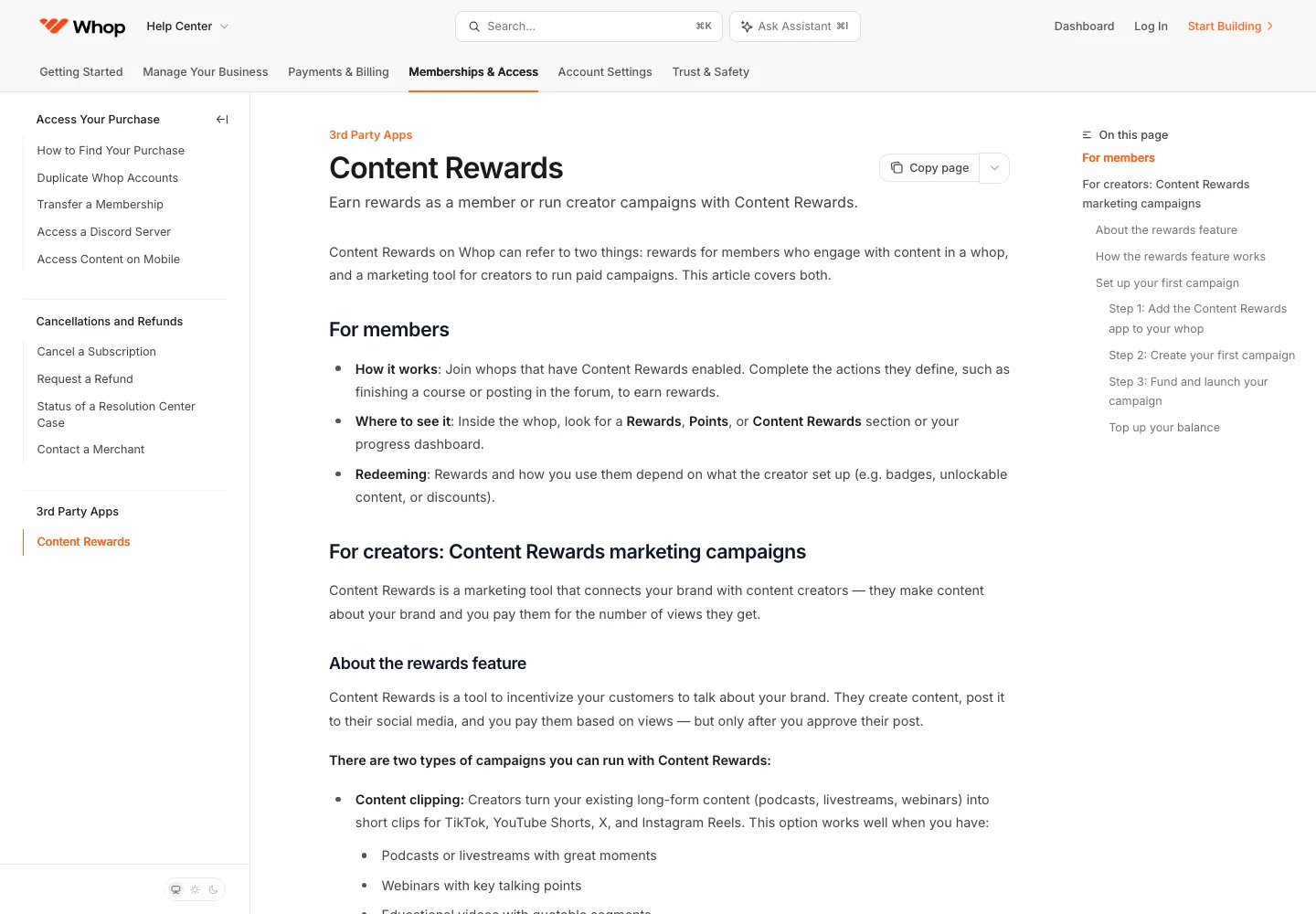
The brand sets the rate, minimum and cap per campaign. Whop's own example uses a $3 rate per 1,000 views and a $6 minimum payout, which means only videos with at least 2,000 views enter the review queue. A $3,000 maximum payout at that rate means earnings stop at 1 million views9.
Some campaigns add a flat bonus: $3 per 1,000 views plus a $10 flat fee at 2,000 views pays $16 total. UGC work usually earns higher rates than clipping9.
At that $3 rate with a $6 minimum, a first video with 40,000 approved views earns $120 and a second with 15,000 views earns $45. A third that stalls at 1,500 views sits under the minimum and earns nothing, for a total of $165.
Withdraw by next-day ACH and you keep $162.50; instant payout costs $9.10 and leaves $155.90, crypto leaves $155.75, Venmo leaves $154.25 and a wire leaves $142.00. Small reward balances may have to sit, because the minimum withdrawal is $10 where the threshold applies7.
To earn $100 at $3 per 1,000 views, you need about 33,334 approved views, and the rate and your views both vary, so no campaign promises earnings.
If you'd rather charge a flat fee per video than hope a clip catches, that's how Rateful works. Brands email your handle@rateful.ai address, and Sam, the AI manager behind it, replies, negotiates against your rate card and never goes below your minimum, and no deal is accepted without your OK. The brand prepays through Rateful, your deposit arrives before filming starts, and the balance stays held until your posts are live.
Rateful takes 0% of your deals, and brands cover roughly 5% in booking protection, added to the deal amount and shown before payment. There is no creator cost until Rateful closes a first deal. From then on, plans run Free, Pro at $49 a month and Scale at $149 a month.
Payouts go to your Stripe account, which is US only for now, and you must be 18 or older to join. Rateful can't promise earnings: what you make depends on your rates and which brands say yes. The full breakdown is in Rateful vs Whop for brand deals, and rate benchmarks are in TikTok Shop creator video rates.
How Whop pricing changed
The billing line now carries a "when enabled" label, so it only applies if you turn it on31.
Whop is asking sellers to confirm their VAT, GST or similar tax registration status, with a response deadline of November 30, 202610. That doesn't predict future prices, and this page won't guess at them.
Whop vs flat monthly fee platforms
Flat-fee platforms charge a subscription and take 0% of each sale, but you still pay card processing. Competitor prices below come from each company's own page: SchoolMaker's from September 10, 202611, Ruzuku's from September 13, 202612, and Drry's from October 25, 202613. One disclosure: the ranking pages cited on this page, from Ruzuku, Drry and SchoolMaker, are written by Whop's competitors.
| Platform | Monthly cost | Fee on sales | Best for |
|---|---|---|---|
| Whop | $0 | Pay-as-you-go processing (2.7% + $0.30 domestic) | Creators starting out or selling irregularly |
| SchoolMaker | From $2911 | 0% transaction fees11 | Sellers who want a predictable monthly bill |
| Drry | Free tier13; Creator $29; Growth $9913 | 0% on every plan13 | Community sellers who want a free start |
| Ruzuku | $9912 | 0%12 | Course sellers who want 0% platform fees |
Free tiers exist too: Drry's free tier allows 100 members and 5 GB of storage with no card required13. Ruzuku also has a $0 plan limited to 5 concurrent enrollments. Ruzuku's Pro plan costs $199 monthly or $1,997 yearly, and annual billing on Core at $997 saves $19114.
Where the break-even sits depends on which add-ons you enable. Whop's own fee doc says its add-on fees stack on top of the base processing fee, so with everything enabled and tax collected, a domestic sale costs 6% + $0.303. On a bare setup with no add-ons, Whop charges $0 a month plus processing. Once add-ons are on, a flat plan at $29 or $99 with 0% platform fees works out cheaper past a certain monthly sales level, even though the flat-fee platforms still pay card processing on top of their subscriptions.
Pick Whop if you're starting out, sell in bursts, or want its marketplace, built-in affiliate network and wide international payout coverage. SchoolMaker or Drry make more sense if you want a predictable monthly bill. Ruzuku fits if you want 0% platform fees on a course setup.
Gumroad, Patreon, Lemon Squeezy, Podia and Shopify aren't quoted here because their rates weren't re-checked for this page. For link-in-bio selling, see Beacons plans and fees and Stan Store vs Linktree fees.
How to pay less and how to cancel
There is no seller subscription to cancel. Using Whop is free2, and fees only apply to certain transactions, so what you pay comes down to settings.
- Withdraw by next-day ACH instead of instant, crypto or Venmo; the gap is in the $500 chart above.
- Offer ACH direct debit on high-ticket sales. The 1.5% fee caps at $5, so it stops growing no matter how big the order gets3.
- Keep add-ons off unless you need them. Everything enabled with tax collected takes a domestic sale to 6% + $0.303.
- Point iPhone buyers to a web browser for one-time purchases under $700, which skips the App Store fee entirely. All subscriptions, plus any one-time purchase at $700 or above, bypass Apple completely, even when the buyer is inside the iOS app6.
- Drop the affiliate commission below the 30% default on products where your margin is thin5.
If you're a buyer ending a subscription, cancel from the website or mobile app and your access lasts through the rest of the billing period you already paid for10. Refund decisions on product or service issues sit with the seller, valid refunds come back in full including fees, and buyers file through the Resolution Center for a decision within a week4. If you're closing your account entirely, cancel all of your memberships first, then delete it from account settings10.
Questions people ask
Is Whop free to use?
Using Whop is free, with no monthly or setup fee, and fees apply only to certain transactions and services under its Buyer and Seller Terms2. A seller pays when money moves: card processing on each sale, optional add-ons, and a payout fee on withdrawal.
How much does Whop take per sale?
A domestic card sale costs 2.7% + $0.30, which is $1.62 on a $49 order1. International cards, currency conversion, add-ons, financing and affiliate commissions each raise that number, so check the fee table for the combination you use.
What are Whop's payout fees?
Next-day ACH to a US bank account costs $2.50. Instant bank payout runs 4% + $2.50, crypto costs 5% + $1.00, Venmo costs 5% + $2.50 for US recipients, and a bank wire is a flat $23.003.
How much does Whop Content Rewards pay per 1,000 views?
The brand sets the rate for each campaign, so there is no single number. Whop's own example uses a $6 minimum payout at a $3 rate per 1,000 views, and UGC deals tend to pay more than clipping ones9.
Why is the price higher in the Whop iOS app?
Apple charges a mandatory 30% App Store fee on one-time in-app purchases under $700, so Whop marks those prices up 42.86% to keep the seller's payout whole. Subscriptions and purchases of $700 or more run through web checkout without that fee6.
Who handles refunds on Whop?
For product or service issues, the seller decides whether to refund, and Whop processes the reversal on the seller's instruction. Whop can also refund without that instruction for payment-layer issues such as a duplicate payment or processing error. It can do the same when it suspects fraud, when the law or card network rules demand it, or when a chargeback is about to land4. In-app iOS purchases are refunded through Apple instead6. Valid refunds come back in full, fees included4.